Client Portal Software or monday.com? How to Give Clients a View Without Exposing Your Board
Client portal software or monday.com? Compare guest access, shared views and portal apps, what clients should never see, and how guests are billed by plan.

Can monday.com replace client portal software? For most agencies and professional-services firms, yes. Shareable boards with guest access, shared board views and forms give clients a place to see progress and approve deliverables. One rule decides whether it works: clients see a purpose-built board or view of their own work, never your internal board. Dedicated client portal software is the better buy when you need white-label branding, document vaults, payments inside the portal, or very large numbers of client logins.
There are five realistic routes. They differ on whether the client logs in, whether they can act, and how much control you keep.
| Option | Client logs in? | Client can act? | Control | Plan notes |
|---|---|---|---|---|
| Shareable board with guests | Yes | Yes: update, comment, approve | High, per board | Standard and above |
| Shared view (public link or embed) | No | No, read only | Low: anyone with the link | Board owners share it |
| Forms | No | Submit requests and approvals | Medium | Check your plan |
| Marketplace portal app | Yes, in a separate portal | Depends on the app | Depends on the app | Third-party app |
| Dedicated client portal software | Yes | Yes | High | Separate tool and data |
A note on naming: monday service has its own Customer Portal with branding, forms, help articles and ticket tracking. It is built for support requests, not for showing a client the progress of a project.
For most agencies the answer is a shareable board per client, fed from the internal delivery board, with a form for clients who never log in. When we set up a client-facing layer as part of an implementation, this is the pattern we start from, because it keeps one source of truth without handing clients the internal view.
The most common client portal mistake is inviting the client to the internal project board. It is quick, and it works for about a week.
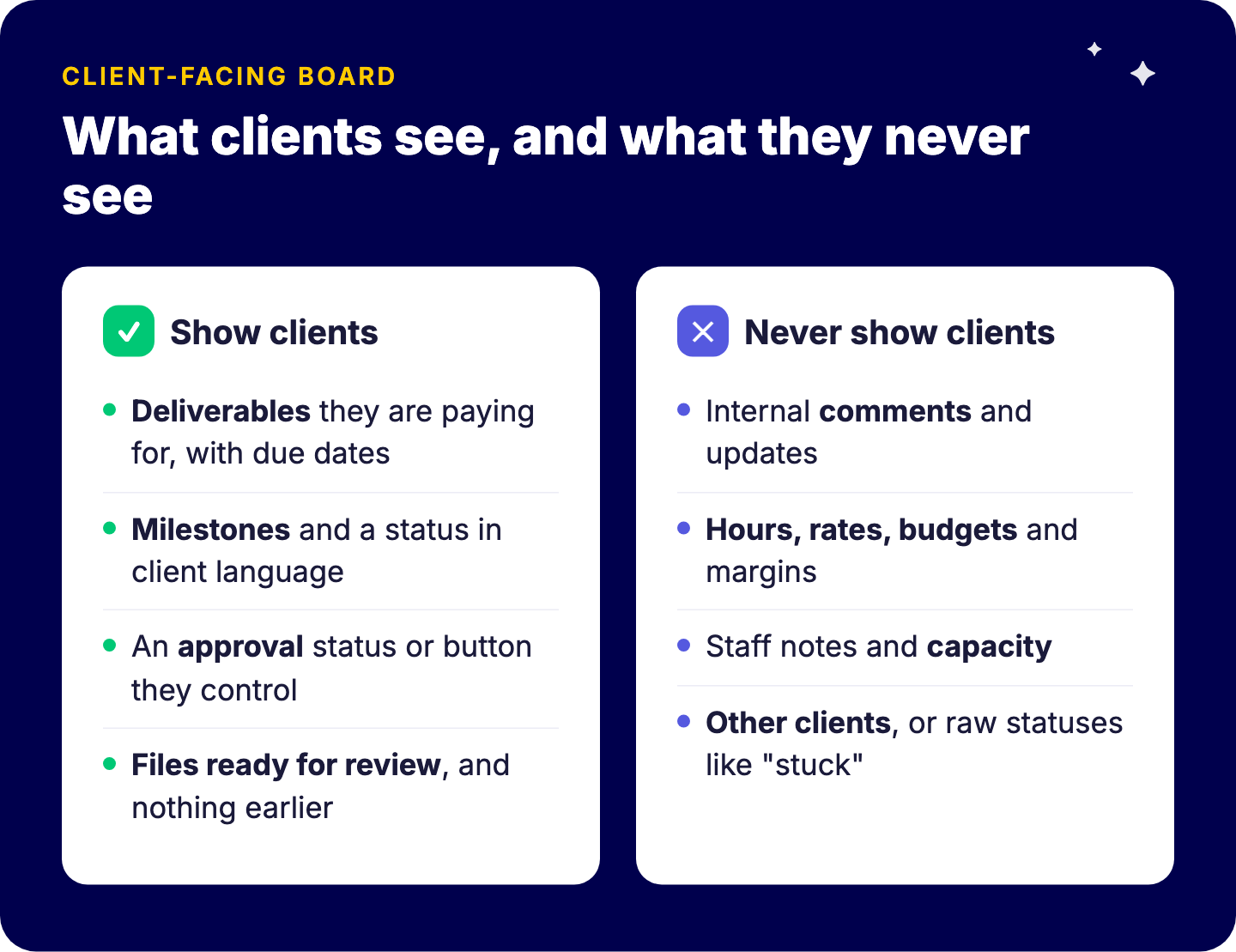
Then the client reads an internal comment, sees the hours column, or notices a status called “waiting on client (again)”. An internal board is written for your team, in your team’s language. It was never meant to be read by the person paying for the work.
Show clients:
Never show clients:
Build it as two layers. Keep the internal board as it is. Create a client-facing shareable board from a template, and use cross-board automations or an integration to copy across only the fields you have chosen. Map internal statuses to client statuses, so “stuck” internally becomes “in progress” for the client until someone decides otherwise.
The best moment to set this up is the start of the relationship. If you follow a structured client onboarding process, creating the client board and inviting the client’s approvers belongs on that checklist, not in week six.
A guest is a user external to your organization, such as a client, vendor or freelancer. According to monday.com’s support documentation (checked September 2026):
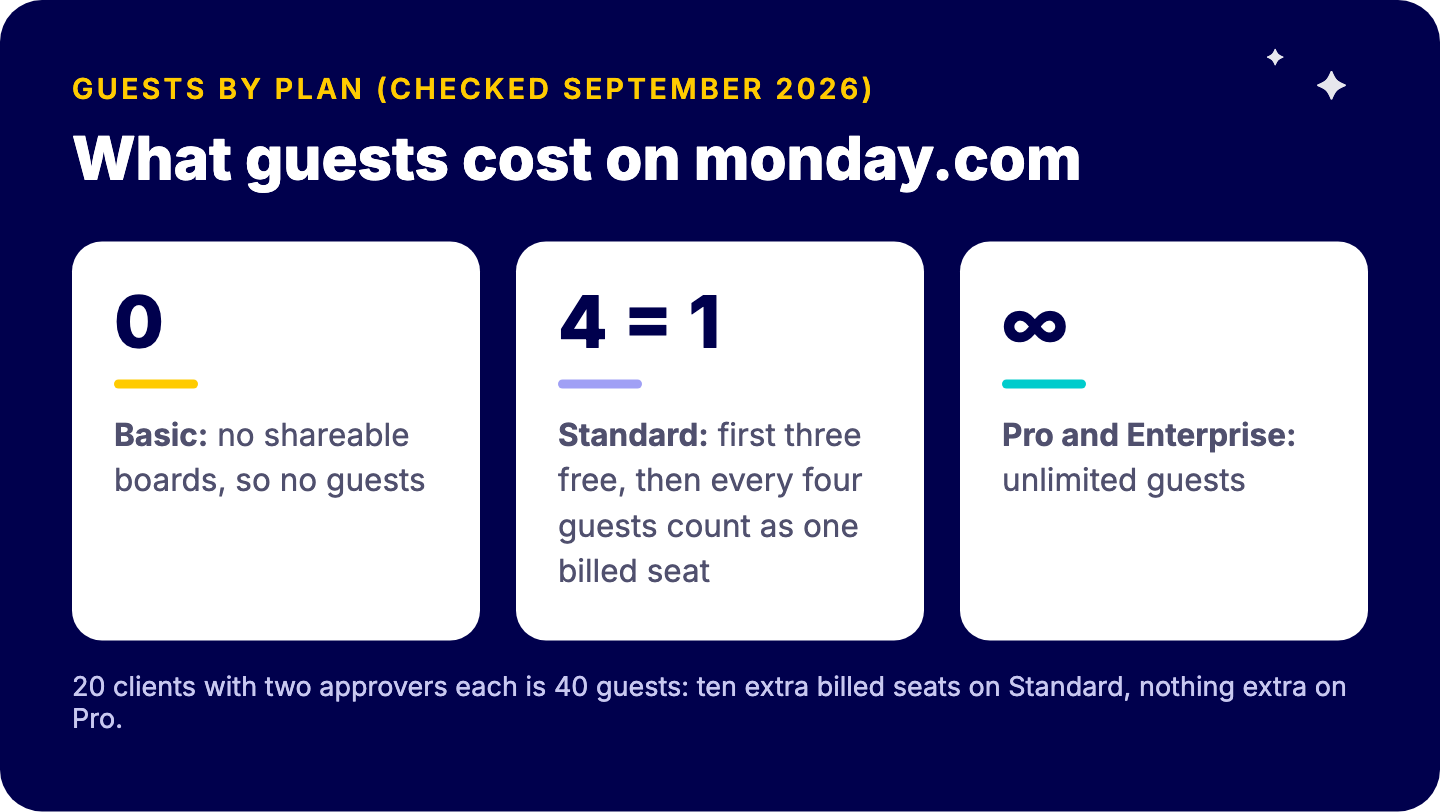
What this means in practice: an agency with 20 active clients and two approvers each has 40 guests. On Standard that is ten guest groups, so ten extra billed seats, which moves you up the seat tiers. On Pro those guests cost nothing extra. Run that sum before you choose a plan, because for client-heavy teams it often decides the tier.
Viewers are not a workaround. monday.com’s viewer role is free and read-only, but viewers are team members who can see all main boards in open workspaces. They are for internal staff, not clients.
Column permissions help, on Pro and above. Pro and Enterprise let a board owner restrict who can view or edit a specific column. That is useful when a client may edit their approval column and nothing else. Board owners are not bound by column restrictions, so be deliberate about who owns the client board.
Under the GDPR’s data minimisation principle (Article 5(1)(c)), personal data should be limited to what is necessary for the purpose. For a client portal that translates into a simple test: does this client need this field to review and approve their work? If not, it does not cross over.
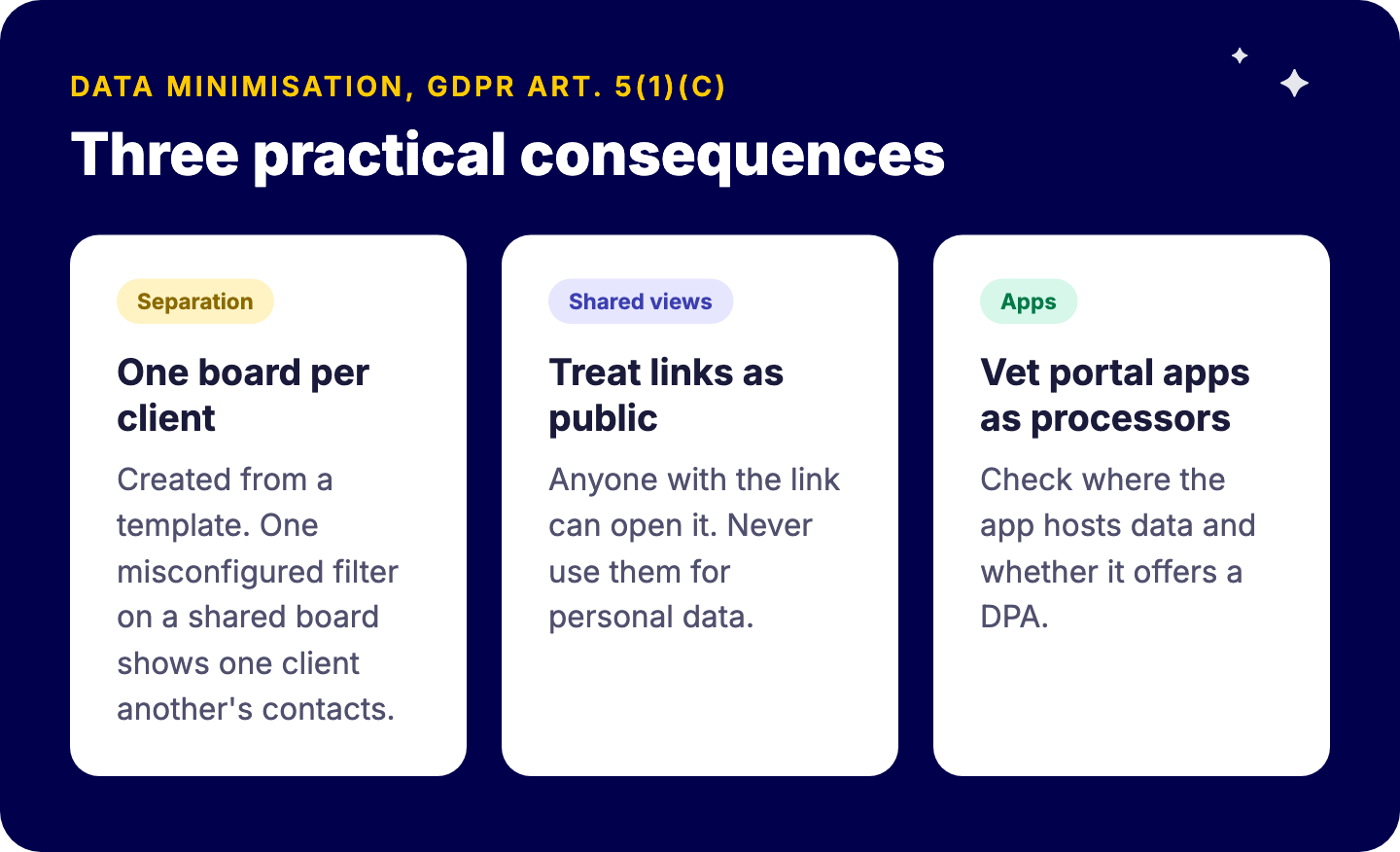
Three practical consequences:
Where your monday.com account itself stores data matters too. Our guide to monday.com EU data hosting and GDPR covers the account-level side.
Permissions are where this is won or lost. When 433 tailored monday.com to its workflows with Tryve, that was only possible by implementing monday.com’s advanced rights and roles settings to safeguard and unify data across the organization. On that foundation, 433 also rolled out semi-automated reporting to its customers.
Be honest about the limits. Buy dedicated client portal software if:
monday.com is the better choice when the portal’s job is status, approvals and feedback on work that already runs in monday.com. A second tool then means double entry, and double entry means the portal is out of date by Thursday. That is the case for most agencies, as our page on monday.com for agencies explains, and for any firm where client approvals are the bottleneck in stakeholder management.
Not as a single feature for project work. You build one with shareable boards and guest access, shared views or forms. monday service has a Customer Portal, but it is designed for support tickets.
Guests are not available on Basic. On Standard, the first three guests are free and every group of four guests counts as one billed seat. On Pro and Enterprise, guests are unlimited. Check monday.com’s current pricing before you commit.
Only the shareable boards they are invited to, not the rest of your account. On Pro and Enterprise you can also restrict which columns they can view or edit.
Only for information you would be comfortable making public. Anyone with the link can open it, and monday.com notes that hidden or filtered data can still be accessed by technically savvy users.
When you need white-label branding, secure document vaults, invoicing or payments inside the portal, or you serve a very large number of client logins.
A well-designed client-facing layer replaces the approval-by-email loop. We can review your current boards, decide what crosses over to clients, and model the guest cost on your plan.
Book a free intro call with Tryve
Tryve is a monday.com Platinum Partner. Every engagement starts with a structured discovery session built around your actual processes, not a generic template. Senior consultants stay involved through adoption, not just go-live. Book a free intro call.